


Fred Meyer
3.97.89K Reviews
App Specs
- Version
- 97.2
- Updated On
- License
- Free
- Downloads
- 1,000,000+
- Developer
- The Kroger Co.
- Categories
- Shopping
- Platform
- Android, iOS
Screenshots
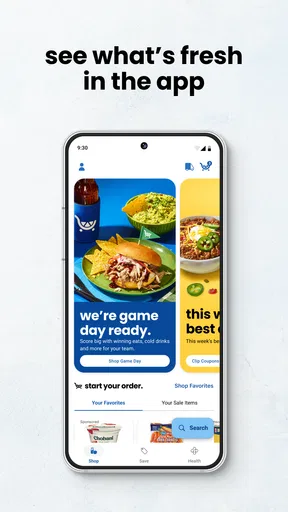
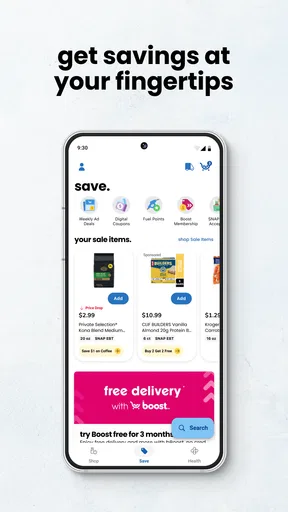
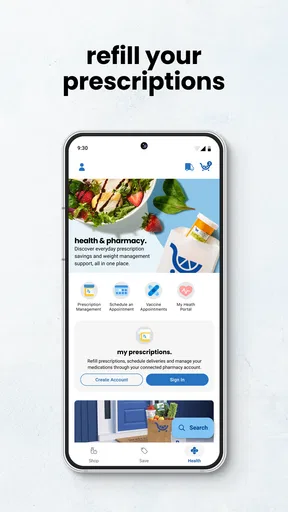
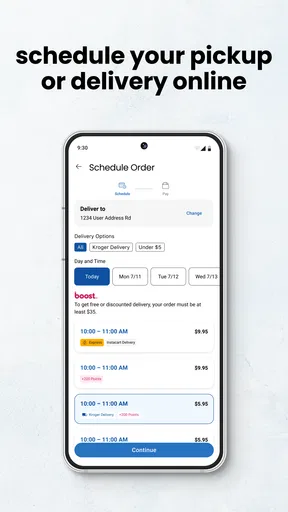
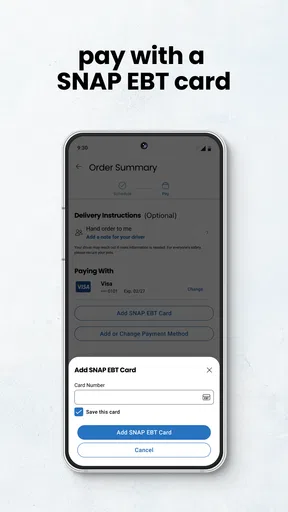
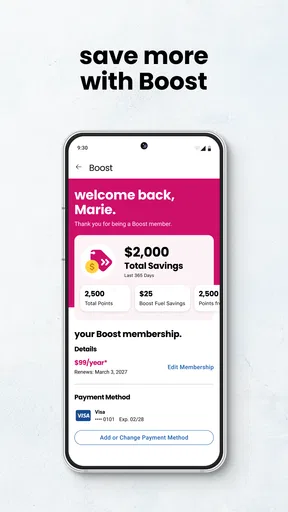
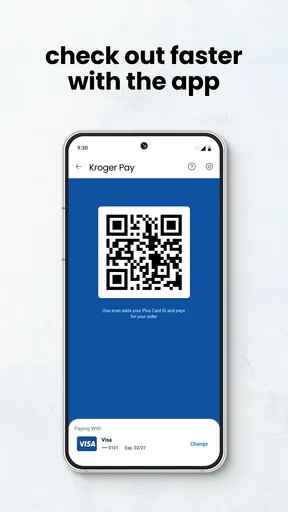
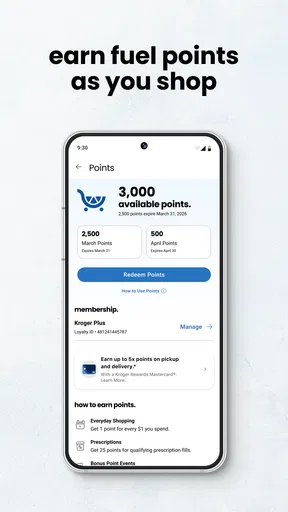
 Analysis by AppCompare
I use grocery apps for one simple reason: I want the shopping trip to feel more planned and less expensive without turning every purchase into a research project. Fred Meyer is built around that everyday need. It combines store information, digital coupons, advertisements, rewards, and a shopping list in one shopping app from The Kroger Co. After spending time with it, I see it as a practical choice for people who already shop at Fred Meyer and want one place to prepare before visiting the store.
The important question is not whether it has the longest feature list. It is whether putting these tools together actually improves your routine. In my experience, it can, especially when I check promotions before leaving home and use the list to prevent small impulse purchases. It is free, available to everyone, and the app has reached over one million installs. Its average rating sits at 3.9 from around forty-one thousand ratings, which suggests a useful but not universally smooth experience.
How I judged Fred Meyer for real shopping decisions
I looked at it as a decision tool rather than simply a digital version of a store flyer. A good grocery app should reduce the number of steps between deciding what to buy and finishing the trip. It should help me notice relevant savings, remember household essentials, and locate the right store without making me jump between separate services.
Fred Meyer’s strongest argument is its combination of those jobs. The store summary focuses on coupons, ads, rewards, store finding, and shopping lists, but the practical value comes from how those pieces work together. I can begin with a list, check the current advertising, look for applicable savings, and then use the store-finding function when I need location information. That is more useful than opening a general notes app for the list and a separate browser tab for promotions.
I also considered how much attention the app demands. Grocery shopping is often done in a hurry, perhaps between work and picking up children. If an app requires too much sorting or makes the user repeatedly search for the same information, its savings can be cancelled out by frustration. Fred Meyer is most convincing when used as a short preparation step, not as something I stare at throughout the entire trip.
Another decision criterion is commitment. This is a retailer-specific app, so its value depends heavily on whether Fred Meyer is already part of your normal shopping route. Someone who regularly visits several unrelated supermarkets may prefer a general list app or a broader coupon service. Those alternatives may offer a wider view across stores, while Fred Meyer gives a more focused experience for this particular retailer.
What the combined tools change in an ordinary week
A realistic use case is a weekend grocery run. Before leaving, I open the app, add the meals and household items I expect to buy, then review the current ad for products that fit the list. I treat the list as the plan and the promotions as a filter, rather than allowing every advertised item to become an excuse to spend more. That small distinction matters: savings are only useful when they apply to things I intended to purchase.
Worth Reading Before You Choose

EA SPORTS FC Mobile 26 Is a Bigger Football Game, but It Takes Time

Flipboard Shows What News Apps Must Do Beyond the Feed

Switching to Android Auto Means Rethinking Your Driving Routine

Google Calendar Makes a Crowded Week Easier to Manage

Ludo King Makes the Most of the Minutes Between Plans

Baby Panda World Brings Quick Play to Modern Phones, but Its Game Library Feels Busy
During the trip, the list becomes a memory aid. I do not have to rely on remembering which pantry item was running low or scroll through a long text message to find it. If plans change, I can adjust the list instead of crossing out items on paper. The workflow is not revolutionary, but it is exactly the kind of modest convenience that makes a store app worth keeping.
The store-finding function is also more valuable than it first appears. I might be shopping near work, visiting another neighborhood, or trying to plan a stop while travelling locally. Having store information in the same app avoids the awkward process of searching separately, opening a map, and then returning to the shopping plan. I would still use a dedicated map app for detailed navigation, but Fred Meyer is a sensible starting point for finding the relevant store.
Where Fred Meyer is especially strong
The best reason to use Fred Meyer is the connected workflow, not any single feature. A shopping list by itself is easy to replace. A digital ad by itself is easy to view elsewhere. Store information by itself is not enough to justify an installation. Together, they create a preparation routine that is specific to Fred Meyer and can make a planned trip more controlled.
The coupon and advertising tools are particularly useful for shoppers who are willing to plan around promotions. I would not recommend blindly browsing them for entertainment, because that can encourage unnecessary purchases. Instead, I find the better method is to build a basic list first, then check whether the app shows a saving that matches something already needed. This turns the promotional section into a decision aid rather than a source of temptation.
The list also has an advantage over a generic notes app because it lives beside the store-related tools. That proximity reduces friction. I can prepare the list, review the ad, and confirm the store without maintaining several disconnected systems. For a household where one person makes the list and another does the shopping, a dedicated list inside the retailer’s app can also be easier to understand than a loose note, although the usefulness depends on how comfortably everyone handles the app.
Fred Meyer is a good fit for shoppers who like a repeatable routine. I would use it the night before a large trip, not just at the entrance. A few minutes spent checking the list and promotions can help me decide what belongs in the basket before the store environment starts influencing me. That is an understated benefit: the app can improve discipline before shopping, not merely provide information while shopping.
Small habits that make the app more useful
My first tip is to separate essentials from optional bargains. I would put the items I genuinely need on the list, then use the ad and coupon areas to evaluate them. If I start with promotions, I am more likely to mistake a discount for a reason to buy. The app supports saving, but the user still has to decide whether the purchase belongs in the household budget.
My second tip is to prepare in categories that match the way I walk through the store. Even without treating the list as a perfect aisle navigator, grouping produce, refrigerated items, pantry goods, and household supplies makes checking items off less mentally tiring. This is a simple workflow improvement that is easy to miss when first opening the app.
My third tip is to check the list before leaving home rather than rebuilding it in the parking lot. The app is most helpful when it holds a considered plan. If I use it only to react to what I see in the store, I lose much of its value and may end up spending more time browsing promotions than shopping.
I would also keep the app updated when possible. The current version is 97.2, and it runs on Android 8.0 or later. That makes it accessible on many older Android devices, though the experience will naturally depend on the phone itself and the quality of the connection in the places where I use it.
Where another kind of shopping tool may fit better
Fred Meyer is not automatically the best answer for every shopping style. If I shop at multiple supermarket chains and compare each basket across them, a retailer-specific app can feel narrow. A general list app may be better for keeping one master list that is independent of the store. A map app may be better when the main task is route planning. A general coupon service may be more suitable for someone who wants to compare offers across several retailers rather than focus on Fred Meyer.
That does not make those alternatives superior in every situation. Their broader scope can also mean more manual work. A generic list does not automatically connect to Fred Meyer’s ads or store information, and a general coupon tool may show more noise than relevant savings. The trade-off is straightforward: Fred Meyer offers focus and retailer context, while broader tools offer flexibility across shopping destinations.
I would skip this app if Fred Meyer is only an occasional emergency stop and I already have a reliable list system. Installing a store app for a single visit may not be worth changing habits. I would also hesitate if I dislike promotional browsing or know that discounts tend to make me buy things I had not planned to purchase. In that case, a plain list can be healthier because it keeps the task focused on necessities.
Another limitation is that a combined retailer app can make the experience feel busier than a simple notes tool. Coupons, ads, rewards, store details, and the list all serve different purposes. New users may need a little time to decide which areas matter to them. I recommend choosing one primary workflow instead of trying to use every section immediately: start with the list, then add promotional checking once that habit feels comfortable.
The rating of 3.9 and roughly eight thousand written reviews point to a mixed but substantial user experience rather than a flawless one. I would interpret that as a reason to keep expectations practical. The app can be helpful, but it should not become the only way I remember an essential item or plan a time-sensitive trip. A backup list or basic memory aid is sensible if the shopping task is important.
What switching to it really involves
The cost of switching is fairly low because the app is free, but the real cost is behavioral. I have to move my shopping list into a new place, remember to check promotions before shopping, and decide whether the retailer-specific workflow is worth maintaining. That setup is manageable for a regular Fred Meyer customer, especially if the current method involves several separate tools.
I would not transfer every old note at once. A better approach is to begin with the next planned trip and add only the items I actually need. After using the list once or twice, I can decide whether the ad and coupon sections improve the process. This gradual approach avoids spending time organizing a system that may not suit my habits.
There is also a mental switching cost. Once I begin checking promotions, I need a personal rule for evaluating them. My rule would be simple: a discount is useful when it lowers the cost of an item already on the plan, not when it creates a new purchase. That rule keeps the app aligned with saving rather than browsing.
For households, the decision should include the person who actually shops. If one person prepares the list and another visits the store, both need to find the app comfortable enough to use. Otherwise, the list may become outdated and the promised convenience disappears. In that situation, a shared general list could be the better alternative even if it lacks retailer-specific information.
Who should install it
I recommend Fred Meyer to regular customers who want coupons, advertisements, rewards, store-finding, and a shopping list together. It is especially suitable for people who plan grocery trips in advance and are willing to check promotions selectively. The app’s Everyone content rating also makes it reasonable for a broad household audience, while its free price removes the financial barrier to trying it.
I would recommend it less strongly to shoppers who divide their purchases among many stores, avoid retailer promotions, or already have a highly effective list system. For them, the focused nature of the app may feel restrictive rather than convenient. A general-purpose alternative can be better when independence from one retailer matters more than integrated savings information.
The developer, The Kroger Co., gives the app a clear retail identity rather than making it a generic shopping organizer. That specificity is its main strength and its main limitation. I like it when my trip is centered on Fred Meyer; I would not choose it as my only shopping tool if my routine constantly changes between different retailers.
After using it as a planning companion, my recommendation is positive but conditional: install it if Fred Meyer is one of your regular stores, begin with the shopping list, and add coupon and ad checking only after your essentials are recorded. That order keeps the app practical and reduces the risk of shopping around promotions instead of needs. For the right customer, it replaces several small tasks with one focused routine. For everyone else, a simple cross-store list may remain the cleaner choice.
Pros
- Easy access to weekly ads
- digital coupons
- and personalized deals.
- Convenient grocery pickup and delivery ordering from the app.
- Rewards tracking helps users monitor fuel points and savings.
- Store locator provides hours
- directions
- and available services.
- Shopping lists make it easier to organize purchases before visiting.
Cons
- Some deals require careful coupon clipping or specific purchase conditions.
- Product availability may differ between the app and the selected store.
- Pickup and delivery time slots can become limited during busy periods.
- The app may feel slow when loading large catalogs or account details.
- Certain features require location access or an active rewards account.
FAQs for Fred Meyer
What is the Fred Meyer app used for?
The Fred Meyer app is designed to make shopping easier by combining grocery shopping, digital coupons, weekly ads, rewards information, and store services in one place. After signing in, you can browse products, create shopping lists, check prices, view available promotions, and manage your loyalty account. Features may vary depending on your location and the services offered by your selected store.
Do I need a Fred Meyer account to use the app?
You can usually browse some store information and promotions without creating an account, but signing in is recommended if you want to access the full experience. An account allows you to connect your loyalty information, clip digital coupons, save shopping lists, review rewards, and place eligible pickup or delivery orders. You may also need to verify your phone number or email address during registration.
Can I use digital coupons and rewards through Fred Meyer?
Yes, the app supports digital savings for eligible Fred Meyer shoppers. You can browse available coupons, add them to your account, and apply them when using your connected loyalty information at checkout. The app may also display fuel points, rewards, personalized offers, and promotion details. Always check expiration dates, purchase limits, and product restrictions because offers can change.
Does the Fred Meyer app support grocery pickup or delivery?
In supported locations, the Fred Meyer app lets you shop for groceries and other eligible products for pickup or delivery. You can select a store, add items to your cart, choose an available time slot, and review substitutions or service fees before completing the order. Availability, delivery coverage, minimum order requirements, and pickup times depend on your local store.
Is the Fred Meyer app free to download and use?
The Fred Meyer app is generally free to download from the official Android or iOS app store, and there is normally no separate charge simply for using its main features. However, purchases made through the app still cost money, while pickup, delivery, taxes, or other service-related fees may apply. Review the final order summary before confirming any transaction.


